
Step 1. Plug OKIOCAM into a USB port on your computer and the system will detect it automatically without the need for an additional driver.
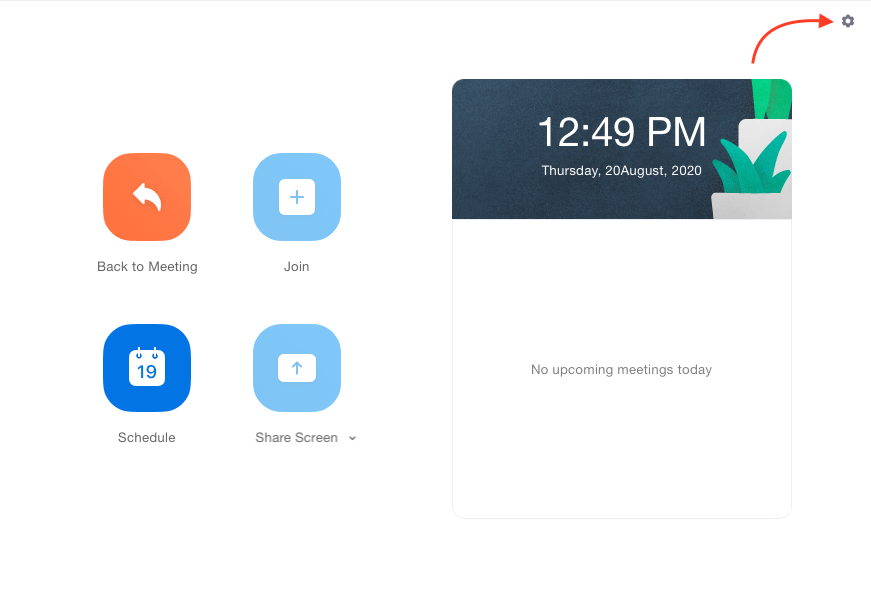
Step 2. Click the gear icon on the right-hand side
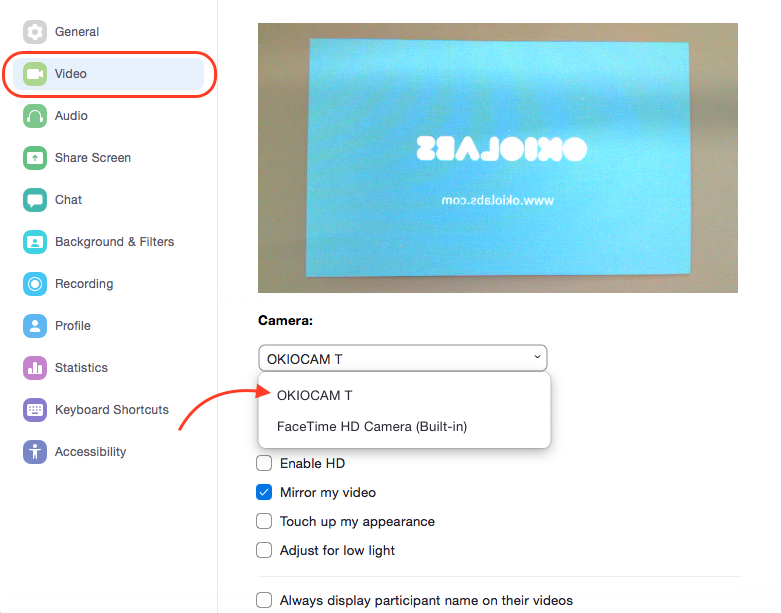
Step 3. Click Video. Select OKIOCAM from Camera
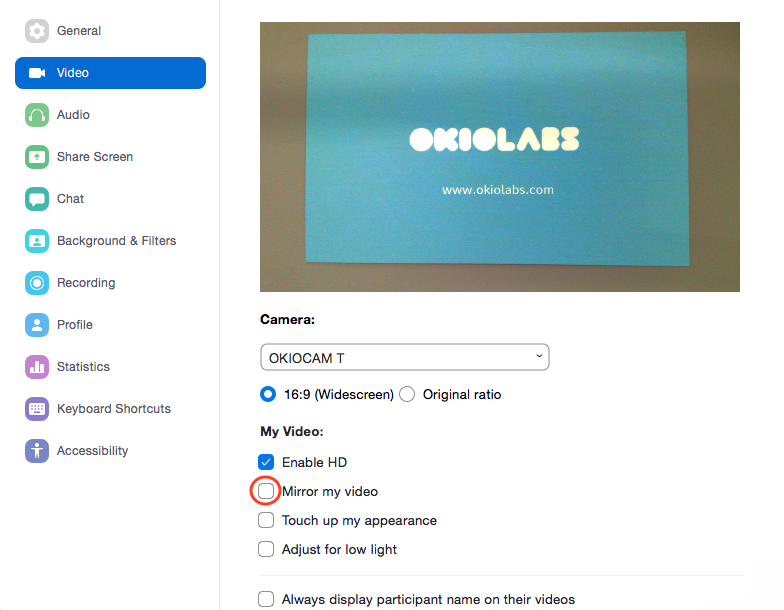
Step 4. If you see the mirrored images on the screen, uncheck Mirror my video.
Step 5. Ready to start a video meeting.
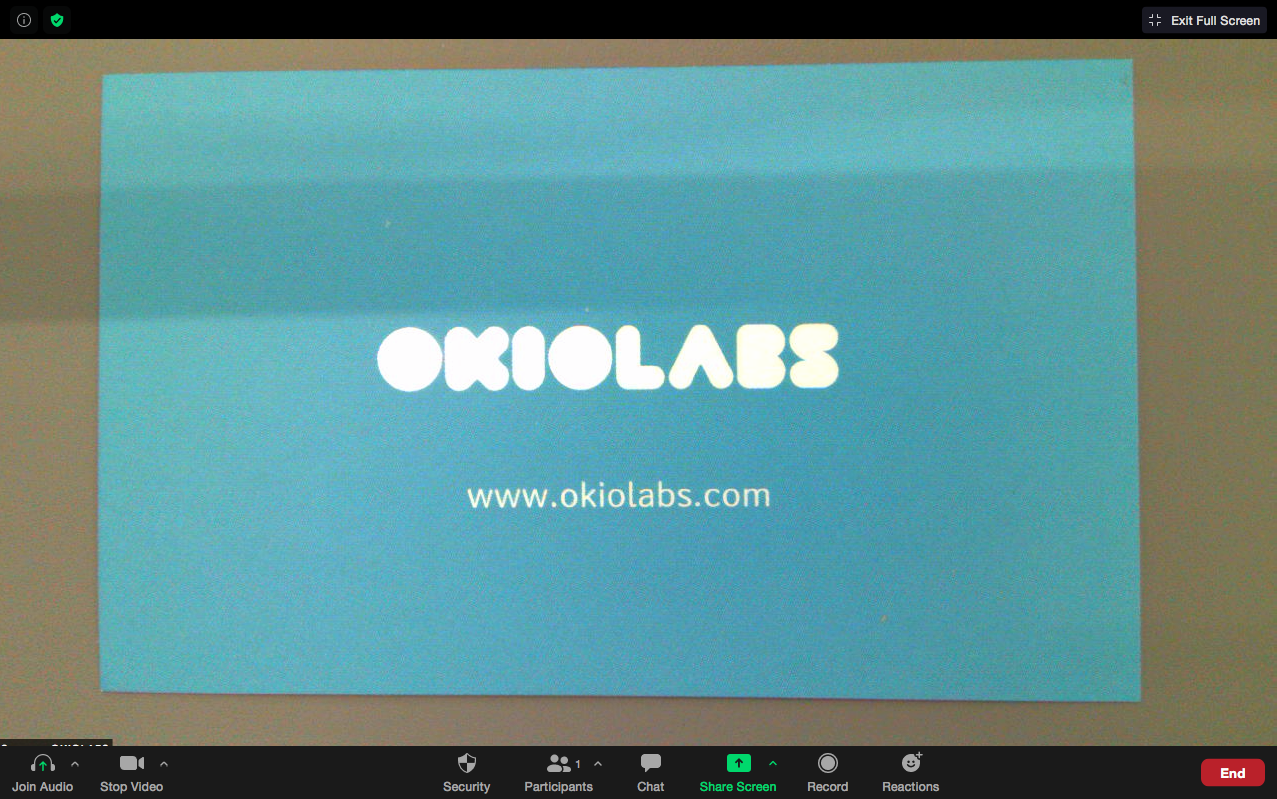
If the screen looks blurry, press the gray button on OKIOCAM to autofocus.
Comments
0 comments
Please sign in to leave a comment.