
- Plug OKIOCAM into a USB port on your computer and system will detect it automatically without the need for additional driver.
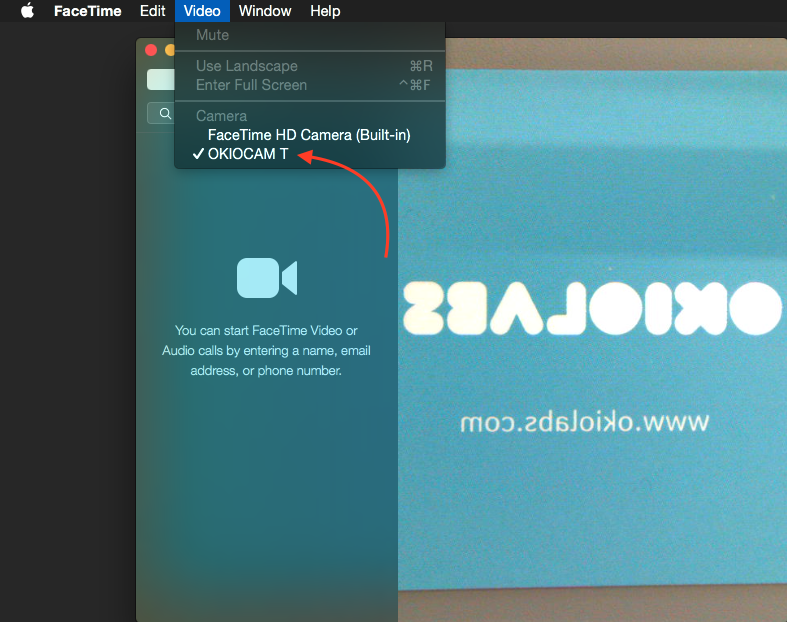
- Launch FaceTime. Click Video. Select OKIOCAM from Camera.
-
If the screen looks blurry, press the gray button on OKIOCAM to auto focus.
Mirrored images? Don't worry.
Video conferencing apps usually mirror the image on the sender side by default. The video will transmit in the non-mirrored (normal) mode so that it will show up on the receiver side in the correct orientation.
Comments
0 comments
Please sign in to leave a comment.