
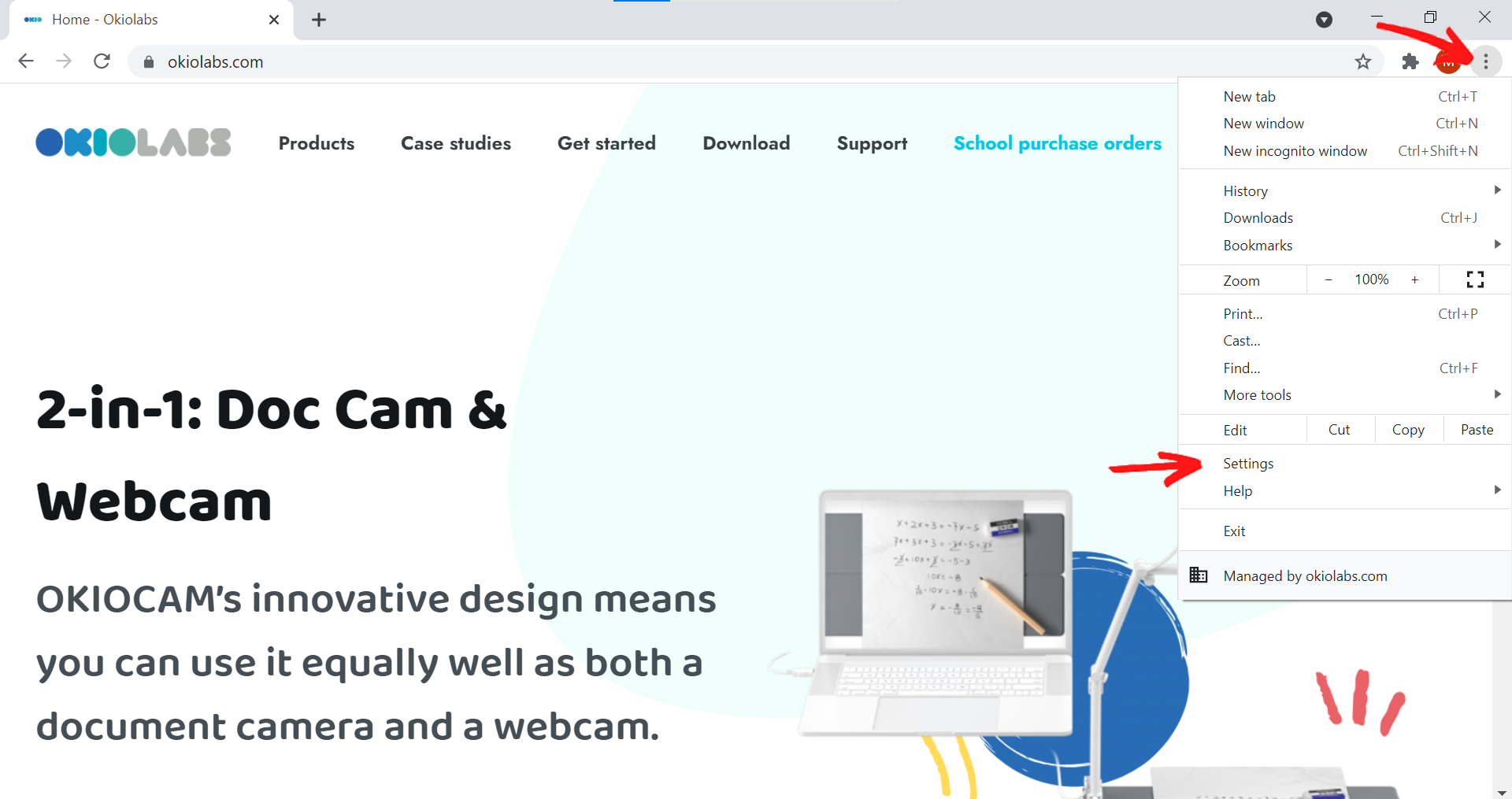
1. In Google Chrome, click the vertical ellipsis in the top right-hand corner, and then Settings.
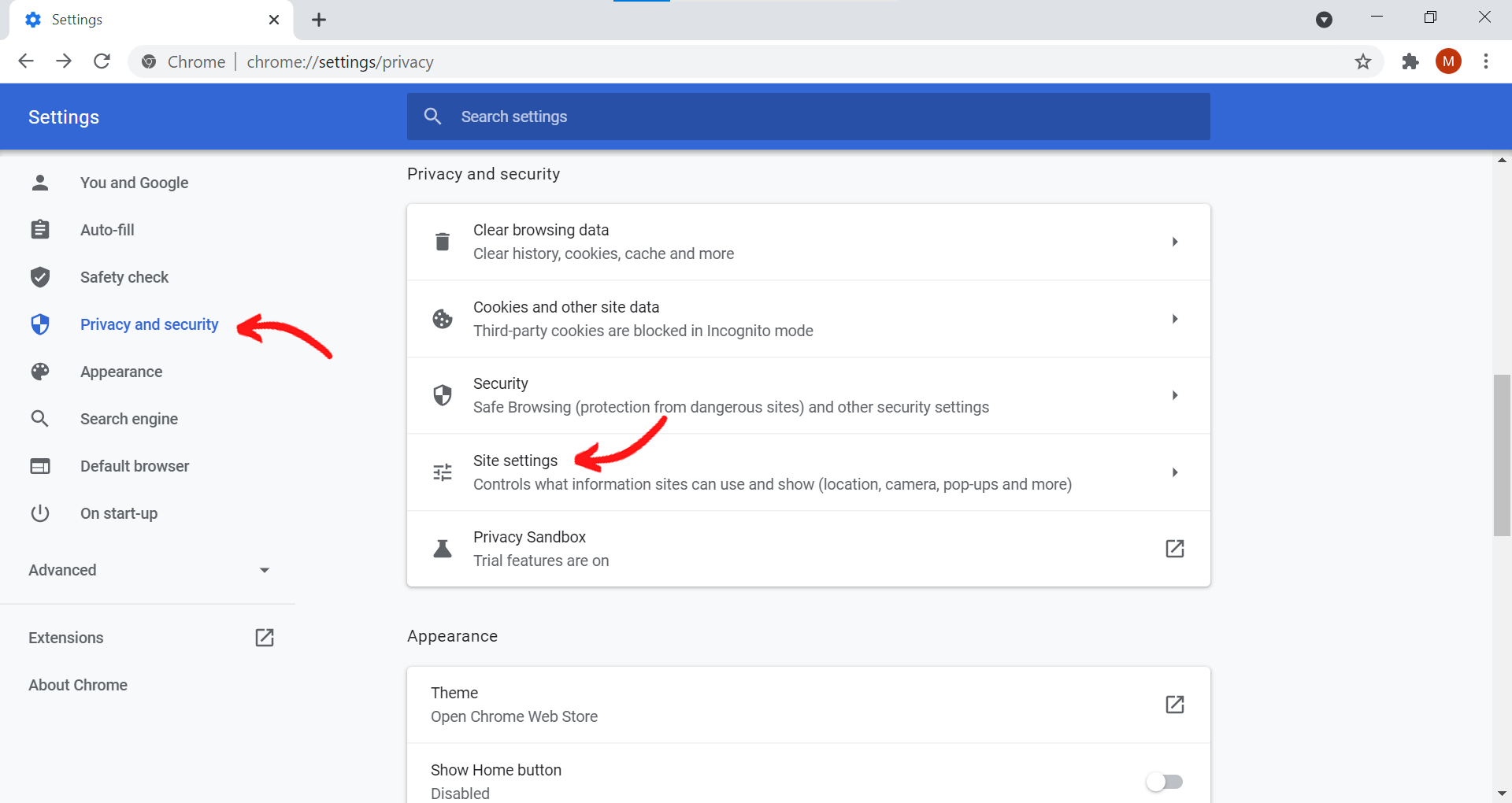
2. Select Privacy and security and then Site settings.
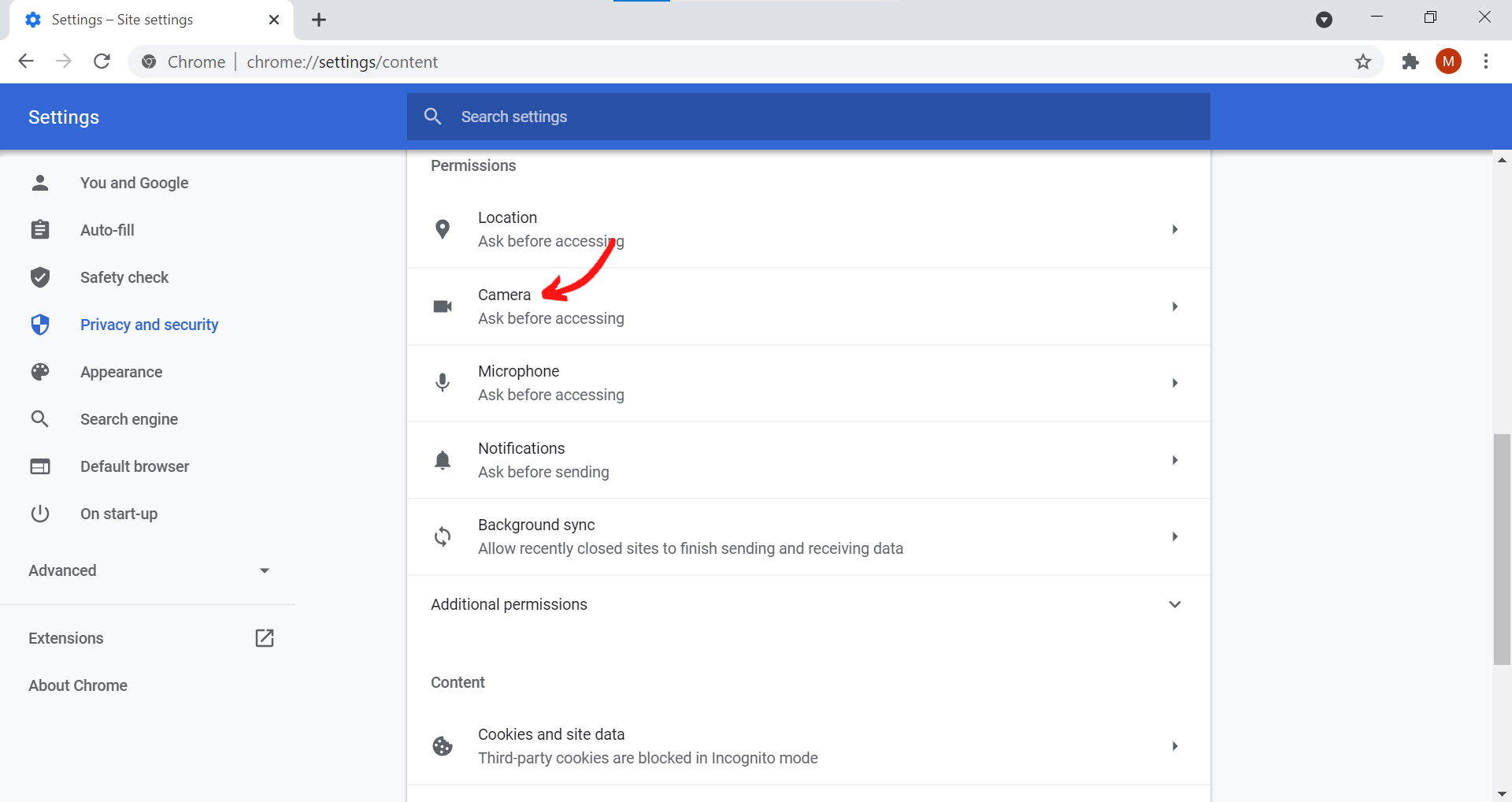
3. Select Camera.
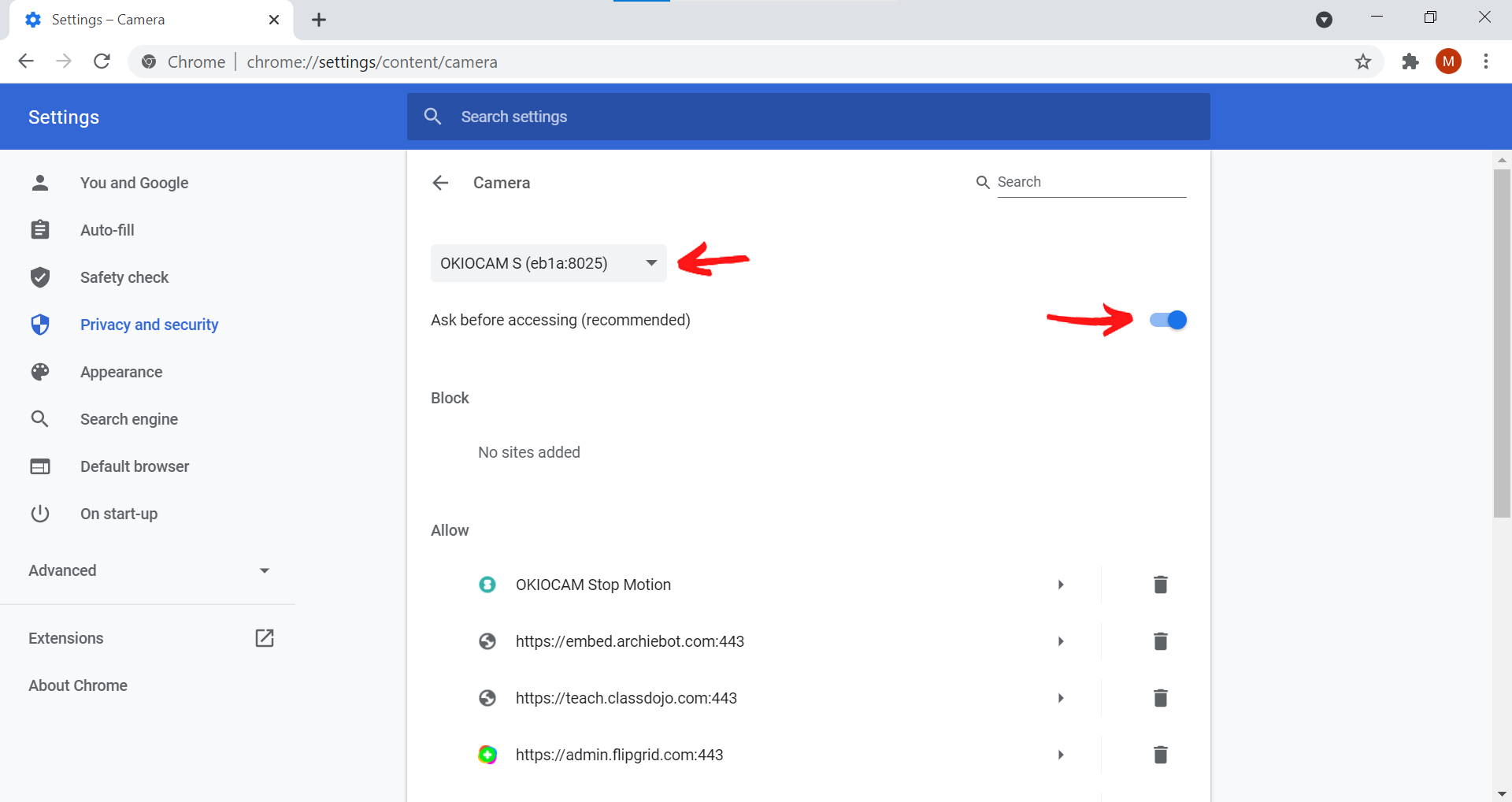
4. Select your OKIOCAM from the drop-down menu and make sure that Ask before accessing (recommended) is set to the On position.
5. Go back to the previous window, and this time select Microphone.
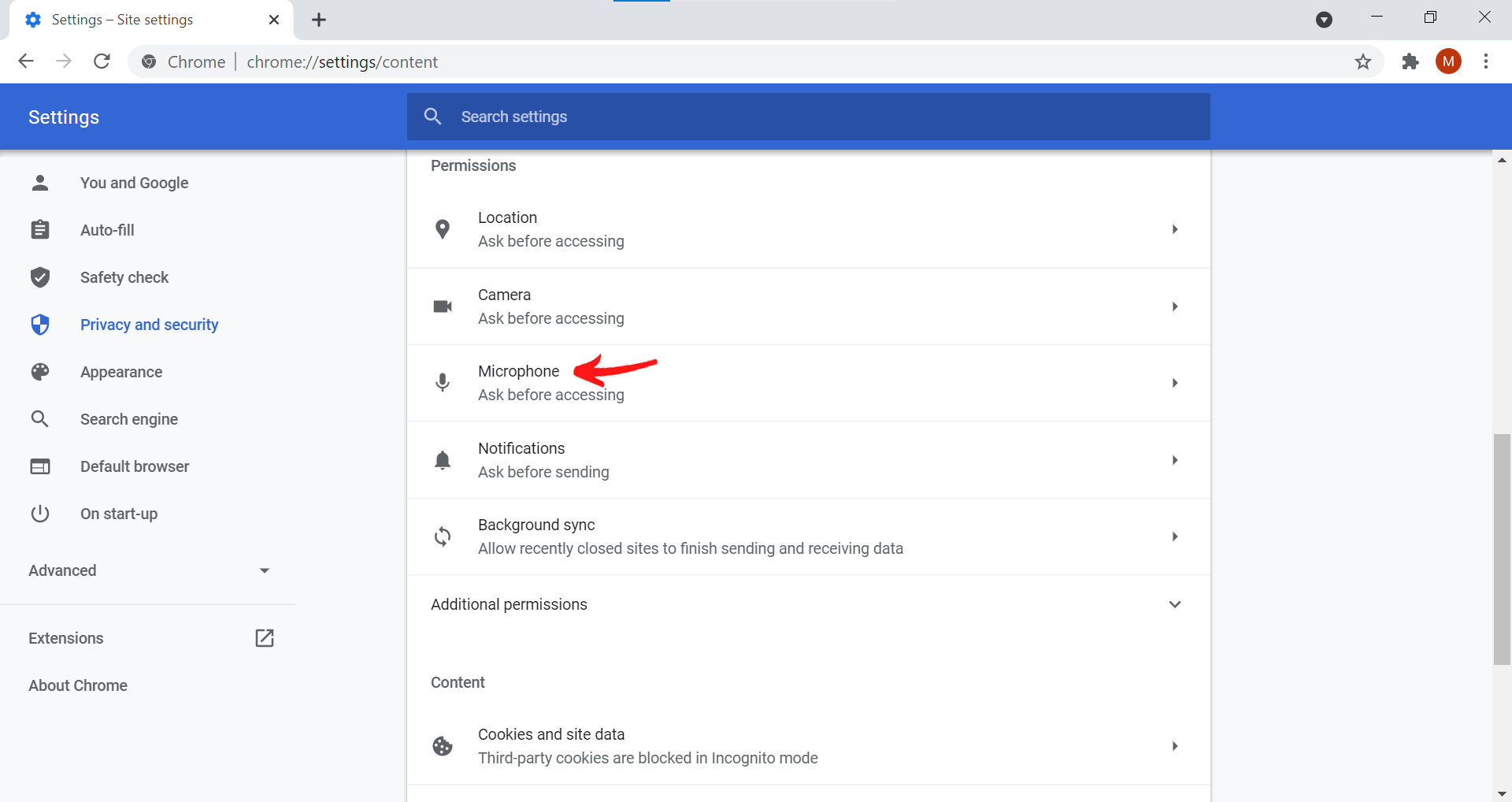
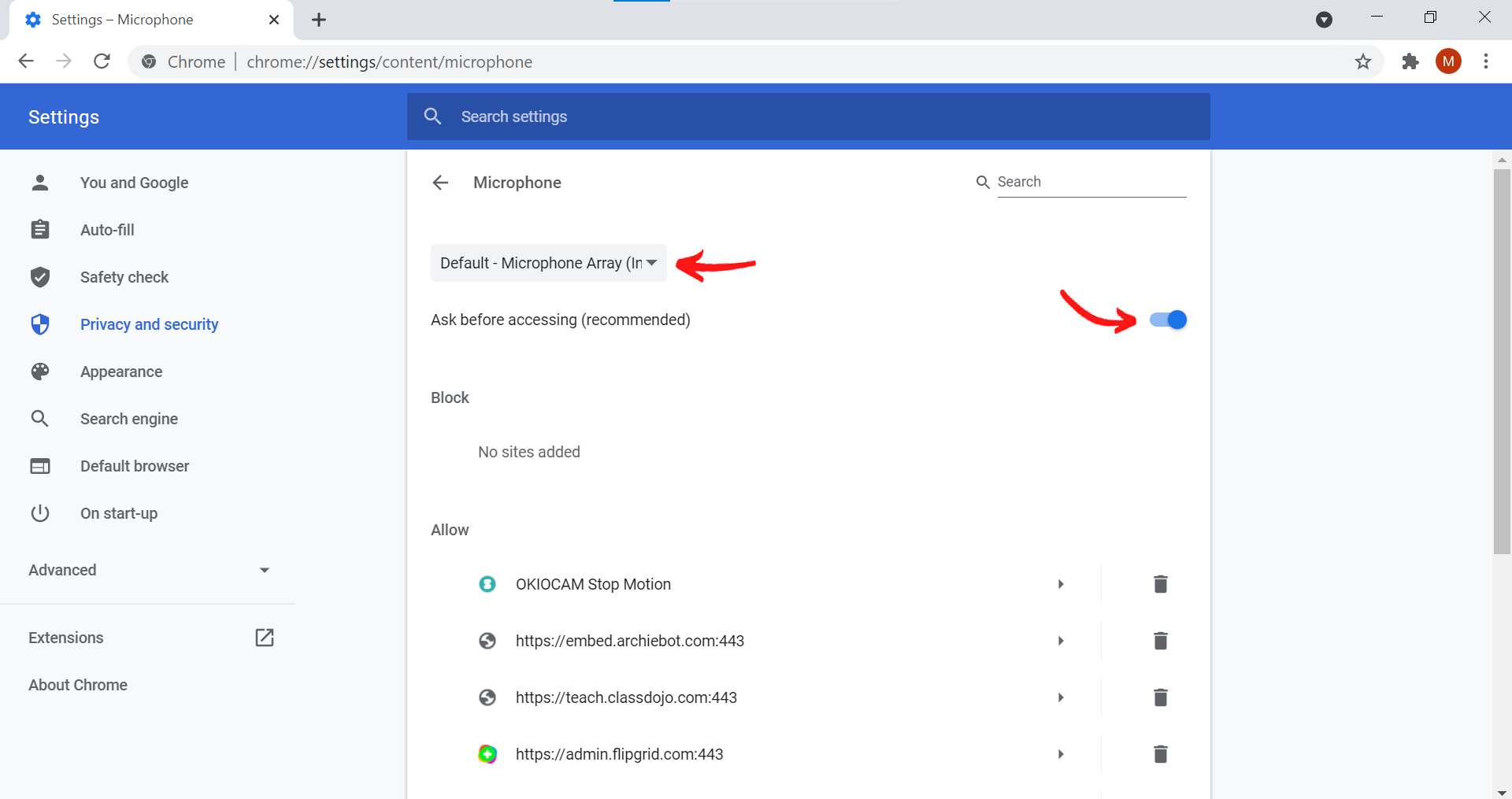
6. Select the microphone that you wish to record using from the drop-down menu and make sure that Ask before accessing (recommended) is set to the On position.
Comments
0 comments
Article is closed for comments.