
OKIOCAM is the first USB document camera and webcam specifically designed for education users. The OKIOCAM Stop Motion app, which allows you to experience all of the functions and fun of stop-motion animation, is available to download from the OKIOCAM website.
This guide will walk you through the installation process for OKIOCAM Stop Motion desktop application.
Step 1: Visit the OKIOLABS download page. https://www.okiolabs.com/download/
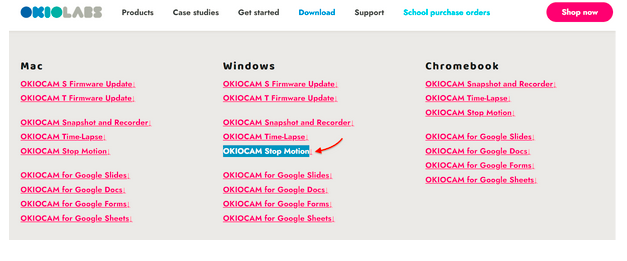
Scroll down to the “apps and software download” section and click on OKIOCAM Stop Motion in the “Windows” download column to start the download.
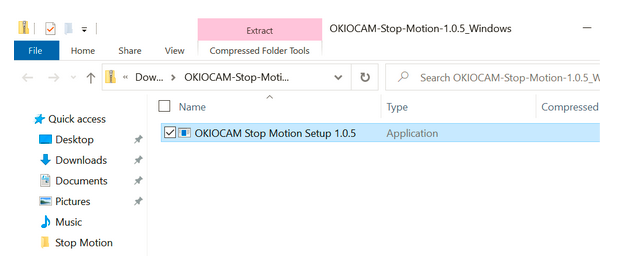
Step 2: After the download has completed, click on the folder to open it in File Explorer.

Step 3: Double click on OKIOCAM Stop Motion Setup to launch the installer.
Step 4: Choose whether to install OKIOCAM Snapshot and Recorder for all users, or just you. Then, click Install to begin the installation.

Step 5: Click Finish to complete the installation.

Step 6: Click the shortcut on the desktop to launch OKIOCAM Stop Motion.

Comments
0 comments
Article is closed for comments.